
Greetings, Captains!
For your convenience, and ease of use, we have prepared a guide to help our Captains navigate the official Web Shop for Pirates of the Caribbean: Tides of War.
Please refer to the details below.
Pirates of the Caribbean: Tides of War Web Shop Guide
About the Web Shop
Web Shop Shortcut Perks
- Get an extra 10% Gem bonus when purchasing on PC, APK, or the Web Shop!
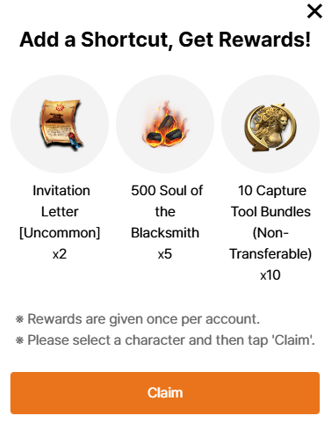
Web Shop Products
You can purchase a variety of fantastic products, including Gem packs, and Web Shop-exclusive offers through the Web Shop.
 * Products are sent to your Inbox, so please be sure to check your account information before making a purchase.
* If you do not receive your product, please try reconnecting.
How to Use the Web Shop
- Official Web Shop [Shortcut]
- Click on the [SPECIAL DEALS] menu tab, then [View Deals] for Pirates of the Caribbean: Tides of War.
- Click on your [username] in the top right corner, then [Web Shop]
- Click [Web Shop] on the Pirates of the Caribbean: Tides of War official website.
2. Upon entering the Pirates of the Caribbean: Tides of War Official Web Shop, click the [Log In] button at the top right and log in with your game account.

* The Official Web Shop can only be used after logging in with the game account you wish to make purchases on.
* You can log in to the Web Shop using the account information linked in-game.
3. Check the Server/Character that will receive the product before making a purchase.
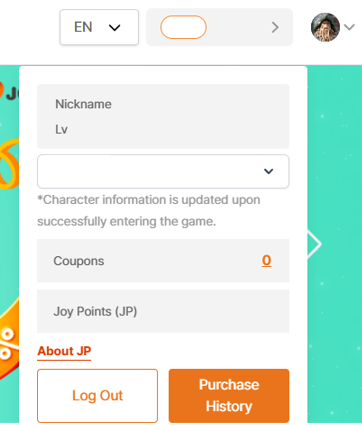
4. Confirm the Receiving Character after selecting a product, and then proceed with payment.

Notes
We hope you enjoy the Web Shop and look forward to your continued interest and support.
Thank you.